Home › Reviews › MailerLite Review
EMAIL MARKETING REVIEW

MailerLite Review 2026

Hands-on tested

Build a signup page, send a welcome email, and put together your first newsletter.
Use MailerLite when you need a hosted signup page and a weekly newsletter before your website is ready. Budget for Power if one welcome workflow needs more than one trigger.
8.3/10
Strong
Based on our testing & research
Free plan available
Monthly or Annual Plans
Check Current Offer
Six screenshots from our testing. Use the arrows to browse and click an image to enlarge.
Affiliate-supported — We may earn a commission from qualifying links. Our reviews remain editorially independent.
Last Updated
17 November 2026
Tested by
GuidedVault

Quick Snapshot

Best For
Solo Publishers & Small Teams
Starting and growing an email list
Entry Cost
Free
Up to 250 active subscribers
Cost Structure
Subscription
Monthly or annual billing
Core Offering
Newsletters & Automation
Signup pages and welcome emails
Access
Web App
Browser-based
Ease of Use
Easy
Straightforward builders

Pros, Cons & How We Tested

Pros

  • Share a signup page before your website is ready.
  • Use a second trigger only when the same welcome needs another entry point.
  • Setup tutorials appeared as we started building the campaign.

Cons

  • Free caps sending at 250 active subscribers and 2,500 monthly emails.
  • A custom domain for a MailerLite landing page requires Comfort or Power.
  • Multiple triggers in one automation require Power.

How We Tested

We tested MailerLite with access to Power features on 11 November 2026. We signed up through a hosted page, confirmed the address, received the welcome email, and sent a newsletter to one inbox we control. We checked the mobile preview, the button link, and the campaign report. Our research process
  • Hosted signup and double opt-in
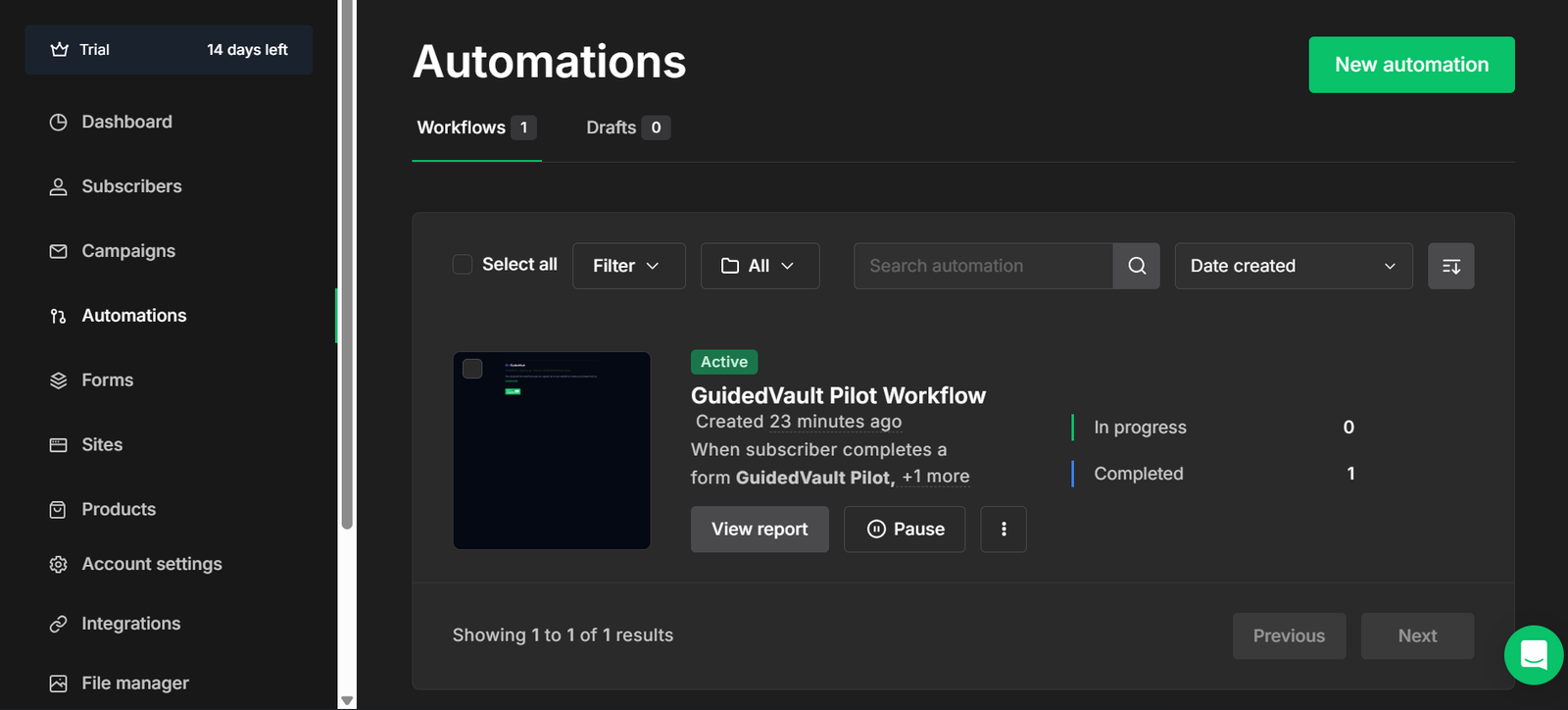
  • Welcome automation and completion report
  • Mobile preview and test email
  • Regular campaign to one inbox and click reporting

Review Findings

FINDING 01

Signup & Welcome Automation

WHAT WE CHECKED
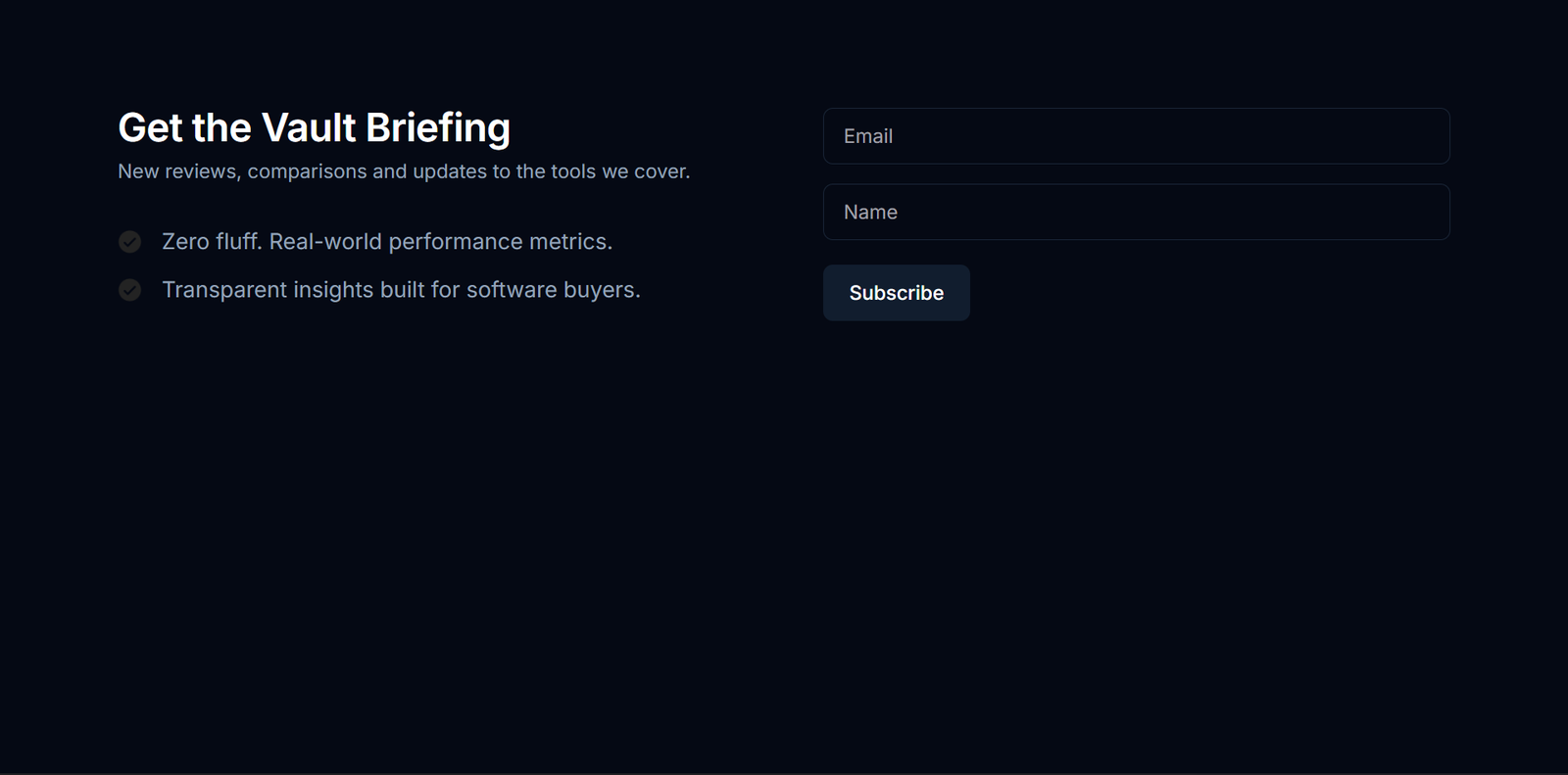
We published a MailerLite-hosted signup page for the Vault Briefing, submitted the form while signed out, and clicked the confirmation email.
WHAT WE FOUND
The hosted page collected a confirmed signup without a website, and the welcome reached our test inbox.
LIMITATION
We enabled both form completion and joining a group. We couldn’t tell which one fired. MailerLite says multiple triggers in one automation require Power. Automation triggers
VERDICT
Use a single group trigger if everyone who joins the list should get the same welcome email. MailerLite documents that setup. We used Power features for the two-trigger run. Automation triggers
FINDING 02

Newsletter Editor, Sending & Reporting

WHAT WE CHECKED
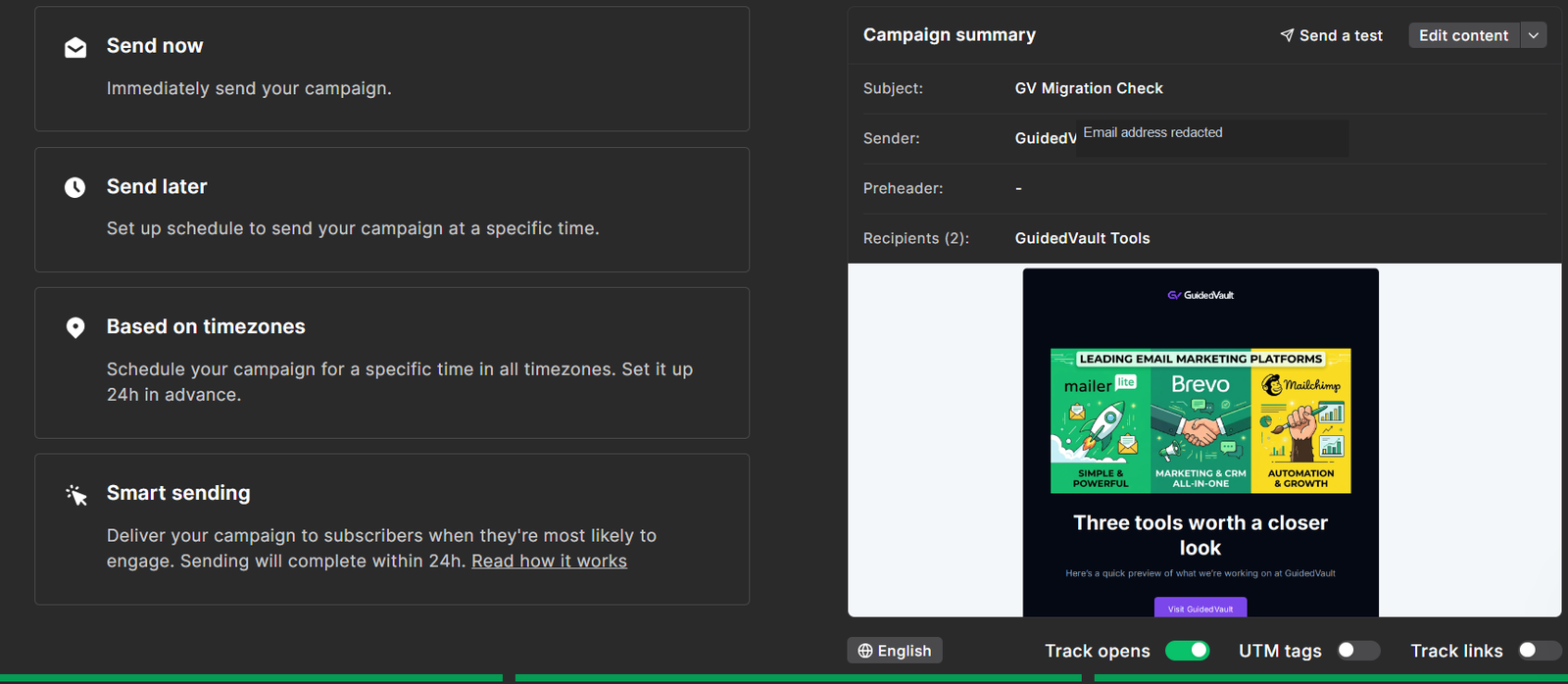
We built a newsletter with a Visit GuidedVault button, checked the mobile preview, and sent a test copy. Then we ran it as a regular campaign for one inbox we control.
WHAT WE FOUND
The test copy let us verify the newsletter button in an actual inbox before mailing the list.
LIMITATION
One controlled recipient let us check the report. A real list would be needed to assess open rates, click rates, or deliverability.
VERDICT
If you’re sending your first newsletter, do both checks. Use the mobile preview for layout and the inbox copy to make sure the main button takes readers to the right page.
FINDING 03

Review flagged addresses before moving a list

WHAT WE CHECKED
We tested a small CSV migration on MailerLite Power using controlled Gmail addresses with plus tags. We checked group assignment, an opt-out and the draft recipient count.
WHAT WE FOUND
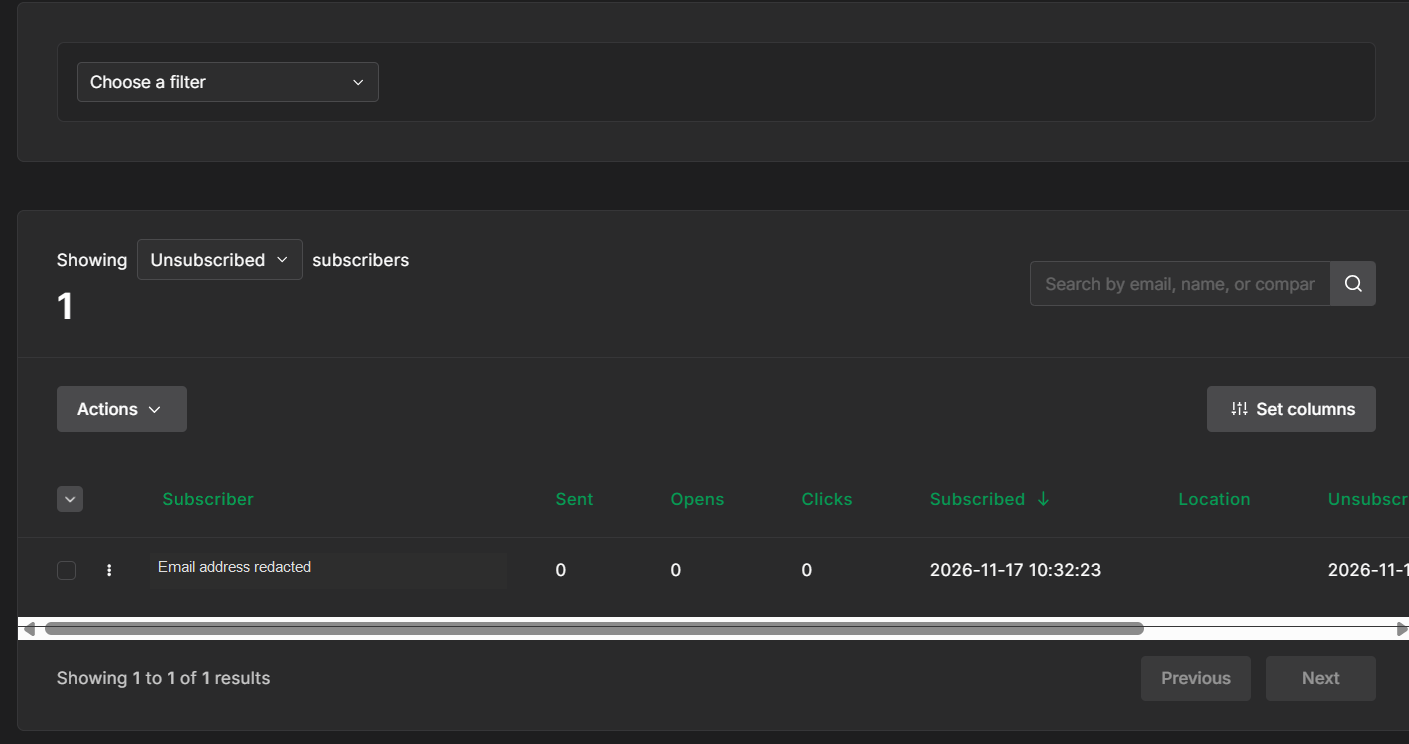
Automatic import skipped all four Gmail plus addresses in our sample. Manual recovery got the opted-in contacts into the target group, and the opt-out showed Unsubscribed. Unsubscribed status · Draft recipient count
LIMITATION
This was one set of plus addresses. The CSV run did not establish what MailerLite would do with blank fields in a batch it accepted. The migration test ended with a draft.
VERDICT
Review skipped rows after importing and verify group membership and subscriber status before selecting a campaign group. For a migration from Mailchimp, check the documented direct migration option.

GuidedVault Scorecard

Five equally weighted scores for running a small newsletter. We used Power for the signup, welcome and reporting pilot. Free plan limits come from MailerLite’s documentation.
EASE OF USE
8.5
/10

Separate editors let you design the signup page and set up the welcome flow in turn.

SIGNUP PAGES & FORMS
8.5
/10

Start with a hosted signup page. Budget for a paid plan if you need your own domain.

WELCOME AUTOMATION
8.0
/10

A single trigger fits a shared welcome flow. Multiple entry points in one workflow require Power.

NEWSLETTER & REPORTING
8.5
/10

Review the layout on mobile before sending. The campaign report can show which links readers clicked.

VALUE FOR MONEY
8.0
/10

Free fits a weekly newsletter at 200 subscribers. Check the active-subscriber total after a migration.

OVERALL SCORE
8.3
/10
Strong
Best suited to solo publishers and small teams starting an email list.

Pricing & Plans

Prices in USD, checked 11 November 2026. Comfort and Power prices shown for the 500-subscriber tier. Annual subscriptions are paid upfront. View official plans.

Free

For a small list and a hosted signup page
$0
/ month
Free to start
INCLUDES
  • 250 active subscribers
  • 2,500 monthly emails
  • 3 automations and 3 forms
  • 1 hosted landing page
  • 2 user seats
KEY DIFFERENCE
Core newsletter and signup tools for a small list.

Comfort

For regular newsletters and your own landing-page domain
$12
/ month
$129.60 billed yearly
INCLUDES
  • 500 subscribers at the entry tier
  • 5,000 monthly emails at the entry tier
  • 50 automations and 10 forms
  • Custom landing-page domains
  • 3 user seats
KEY DIFFERENCE
Adds custom landing-page domains and higher limits.

Power

For frequent sending and more complex workflows
$25
/ month
$270 billed yearly
INCLUDES
  • 500 subscribers at the entry tier
  • Unlimited monthly emails, subject to fair use
  • Multiple automation triggers
  • Unlimited automations and forms
  • Live chat and email support
KEY DIFFERENCE
Multiple triggers per workflow and higher sending capacity.

Billing & Extras

Costs beyond the headline plan price
ANNUAL BILLING
Save 10%
ENTERPRISE
Custom pricing
FREE PLAN
Up to 250 active subscribers
AUTOMATION TRIGGERS
Power supports multiple triggers in one workflow.
WATCH FOR
Use one trigger per automation if you plan to stay on Free. Multiple triggers require Power.
GUIDEDVAULT TAKE

Which plan makes sense?

Consider Free for one hosted signup page, a simple welcome email and a newsletter within 250 active subscribers and 2,500 emails a month. That’s based on MailerLite’s published plan limits. Our signup-to-welcome test used Power features. Comfort adds a custom landing-page domain. Power is for buyers who need multiple triggers in one workflow or higher sending limits. Free plan limits · Custom landing-page domains
  • Free — one hosted signup page and a simple welcome email, within the Free limits.
  • Comfort — consider it if you want a custom landing-page domain or higher limits.
  • Power — choose it if you need multiple triggers in one workflow or higher send volume.
  • Enterprise — ask for a quote if you need custom sending volume and dedicated support.

Who MailerLite Is Best For

At 250 subscribers, a weekly newsletter uses about 1,000 sends in a four-send month. The subscriber cap can matter before the sending cap.
STRONGEST FIT

Best For

  • Solo publishers starting an email list
  • Small teams sending regular newsletters
  • Creators who need a signup page and a simple welcome message
LOOK ELSEWHERE IF

Not Ideal For

  • You need a custom landing-page domain on Free
  • You want multiple workflow triggers at the entry price
  • Your existing list exceeds the Free plan limits
OTHER OPTIONS

Top Alternatives

Brevo

Manage sales leads alongside email subscribers.

Why Brevo?

Consider Brevo if the same contacts also need to move through a sales pipeline. Brevo plans and sales features.

Mailchimp

Verify individual recipients before a targeted campaign.

Why Mailchimp?

Consider Mailchimp if an address-level draft check is worth the tighter Free sending limits. Mailchimp targeting and limits.

Kit

Charge readers for access to a paid newsletter.

Why Kit?

Consider Kit if paid newsletters and creator monetization are central to your email workflow. Kit newsletter options.

FREQUENTLY ASKED QUESTIONS

What to know before you choose a plan

MailerLite lists one hosted landing page, three automations, 250 active subscribers, and 2,500 monthly emails on Free. Use a single trigger for a welcome email on Free. Free plan limits · Automation triggers

Power supports multiple entry triggers in one automation. For a simple welcome sequence on Free, use one trigger such as joining a group.

MailerLite lists custom landing-page domains on Comfort and Power.

We used the mobile preview and sent a test email to our own inbox while the campaign was still a draft.

FINAL VERDICT

GUIDEDVAULT VERDICT

Recommended for starting a newsletter

Start on Free for one hosted signup page and a simple welcome. Choose Comfort for your own landing-page domain or Power for multiple triggers in one workflow.
Best for: solo publishers and small teams running a newsletter.
8.3 / 10
Strong
Check the current subscriber limits and plan terms before signing up.