Home › Reviews › Squarespace Review
WEBSITE BUILDER REVIEW

Squarespace Review 2026

Hands-on tested

Choose Squarespace for the design work it saves you.
We’d start with Basic for a portfolio, business site, blog or small shop. Booking and campaign email cost extra.
8.1/10
Strong
Based on our testing & research
14-Day Website Trial
No Card Required
Basic $19/mo billed yearly
Affiliate-supported — We may earn a commission from qualifying links. Our reviews remain editorially independent.
Hands-on test
28 November 2026
Tested by
GuidedVault

Quick Snapshot

Best For
Creators and small businesses
Portfolios, blogs, company sites and shops
Entry Cost
Basic $19/mo
$228 billed yearly in the US
Cost Structure
Hosting and editor included
Scheduling and campaign email cost extra
Core Offering
Hosted website builder
Design tools, publishing and selling
Access
14-day website trial
Build privately or share by password
Ease of Use
Template-led setup
Visual layout, with separate mobile placement

Pros, Cons & How We Tested

Pros

  • Project layouts, a blog and a storefront in the same builder.
  • Rearrange the phone layout without duplicating pages.
  • Start from a curated design or edit an AI-generated layout.

Cons

  • Self-booking and campaign email add subscriptions.
  • Basic charges separate fees on store sales and paid content.
  • The full site design can’t move to another host.

How We Tested

We used the 14-day Squarespace website trial to build and edit a service site, inspect a Blueprint AI draft and book a test appointment through a separate Acuity trial. We reviewed the other use cases through vendor documentation and public demos. Trial terms · Our research process
  • Hands-on · Fletcher template and mobile layout
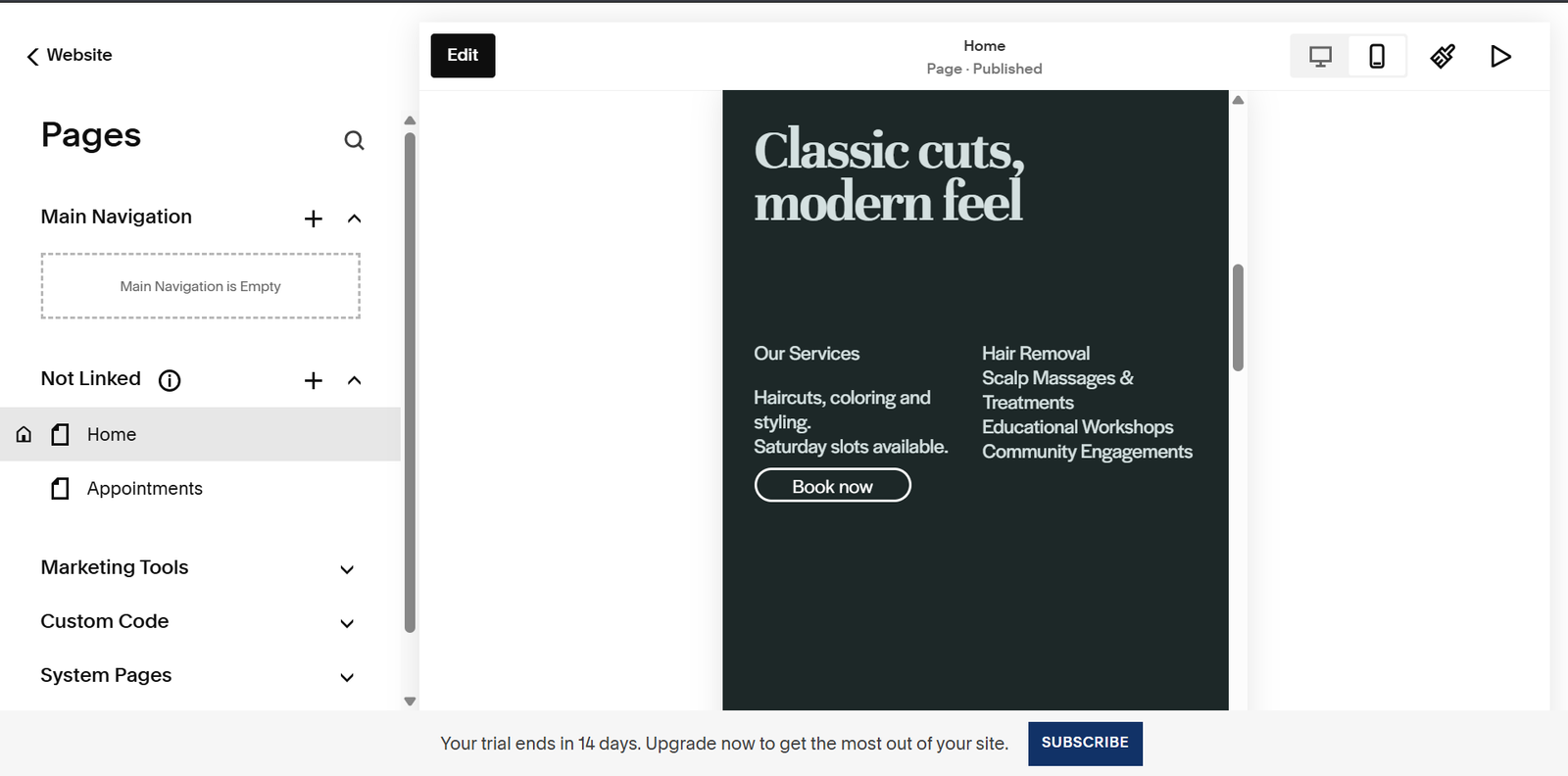
  • Hands-on · Blueprint AI and two editing approaches
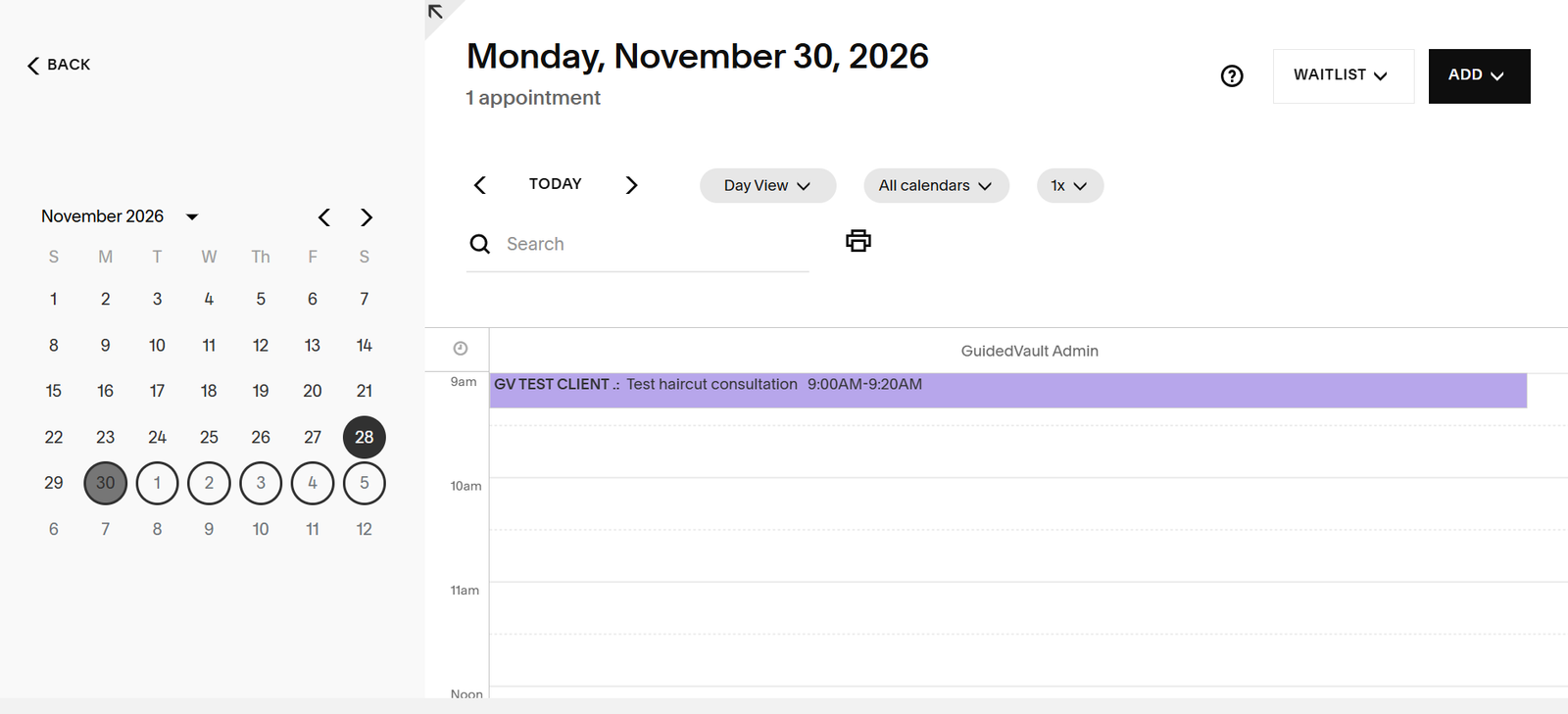
  • Hands-on · on-site booking and the Acuity calendar
  • Research · portfolios, publishing, commerce, plans and migration

Review Findings

DESIGN · HANDS-ON & DEMOS

The template is a head start on the layout

WHAT STANDS OUT
Nevins opens with a grid of photography projects. Alameda opens with the shop. Fletcher leads with an appointment. The demos are useful for seeing what each design puts in front of visitors first. Nevins portfolio · Alameda store · Fletcher service site
OUR EDIT
Squarespace’s version 7.1 templates share the same features, so choose the one that gets closest to the layout you want. Fluid Engine lets you rearrange blocks on mobile while sharing the same content with desktop. On our Fletcher site, we added a booking button and made one mobile-only resize. Phone layout capture
THE TRADE-OFF
A new starting demo isn’t a one-click skin for a live 7.1 site. Redesign the pages you already have using sections and site styles. Templates by version
WHO BENEFITS
Photographers and other creators get the most out of this approach if they already have strong work to show. Start from a demo with the right project or product layout, then judge it with your own images.
AI BUILDER · HANDS-ON

Blueprint AI is useful for the structure of a site

WHAT IT REPLACES
The guided builder can give you an editable layout when you’re unsure how to organize the site. We gave it a barbershop brief with bookings and examples of work as the main priorities.
OUR DRAFT
Blueprint AI gave us an editable homepage with a services section, About and Contact pages, and an appointment layout. The draft saved layout work, but we still had to replace the generic copy and connect the live scheduler. Blueprint draft capture
WHAT STILL NEEDS WORK
Compare the generated pages with what your customers need to find. On our draft, the services and contact pages were worth keeping, but the example appointment choices couldn’t take real bookings.
WHEN TO USE IT
If you already know which demo you want to use, start there. Blueprint is more useful when you have the content and haven’t worked out how to arrange it. How Blueprint AI works
PORTFOLIOS & BLOGGING · RESEARCH

Case studies and regular posts fit under one roof

PORTFOLIO
The Nevins photography demo separates individual projects from the journal. If a client wants a wedding gallery or a design case study, that structure keeps the work easy to find alongside newer posts.
PUBLISHING
Portfolio projects can have their own pages, so you can show a finished project and explain the work behind it. The blog supports scheduled posts, categories and tags, and its posts use the classic editor.
EDITOR LIMIT
Each 7.1 portfolio page holds up to 60 projects, and you can’t move projects between portfolio collections. Think about the collection structure before you fill it. Project limits
WHO BENEFITS
This suits a portfolio with detailed case studies and a blog that supports the rest of the site. For a publication that depends on plugins, custom editorial workflows or control of hosting, compare self-hosted WordPress first.
ECOMMERCE · RESEARCH & DEMO

A small catalog can stay on the same site

STORE DESIGN
Alameda gives a buyer a product grid and category filters before they have to scroll through a brand story. It shows how a shop can be the front page of a Squarespace site.
WHAT IS INCLUDED
Basic can run a small online store with variants, inventory and local or regional shipping. Core adds features such as carrier-calculated shipping and removes the 2% Squarespace store transaction fee. Selling by plan
WHAT CHANGES THE PLAN
Check the store fee before settling on Basic. A merchant with flat-rate shipping and low volume has a different cost from one that needs live carrier rates or automatic discounts.
WHEN TO COMPARE SHOPIFY
Squarespace is worth a look when the shop is part of the brand site and the catalog is manageable. Compare Shopify first if tracking stock across locations or fulfilling orders is the main work. We didn’t run a paid checkout.
COURSES & MEMBERSHIPS · RESEARCH

Paid content has a different fee from store sales

WHAT YOU CAN SELL
You can sell a course, offer a video library or charge for access to members-only pages alongside the public site. The paid pages are part of the website, which is useful if the same audience reads your free material.
THE FEE
Squarespace sells access to courses, videos and member content through its own paywalls. The platform fee on eligible paid content and memberships is 7% on Basic, 5% on Core, 1% on Plus and 0% on Advanced. Digital product fees by tier
WHERE PLUS EARNS ITS PRICE
Plus costs $240 more per year than Core at US annual prices and cuts the fee on eligible paid content by four percentage points. It breaks even at $6,000 a year from that fee change alone, before any difference in card processing.
WHO BENEFITS
It makes sense for a creator who wants a modest paid library attached to their site. Check the course and member features against how you teach before committing, especially if the course itself is the business.
INQUIRIES & BOOKING · HANDS-ON

A contact form and a live scheduler are different purchases

TWO CUSTOMER ROUTES
A contact form gives you a message to reply to. An embedded scheduler lets a visitor pick an available slot and reserves it on a calendar. Squarespace uses Acuity for the second job.
OUR BOOKING
A contact form is part of the website. Letting clients choose a time from your calendar uses a separate Acuity subscription. We booked a 20-minute consultation through the site and verified it in the Acuity calendar. Acuity calendar capture
TRIAL BOUNDARY
Squarespace disables native form notification emails during the website trial. Google Drive is a documented storage option, and we left inquiry delivery unverified. We used a separate no-card Acuity trial, and no payment was taken for the appointment. Form storage
WHAT TO BUY
Buy the website on its own if inquiries are enough. Add Acuity when visitors need to book themselves. Starter covers one calendar, so check the tier again if several staff or locations need their own.
MIGRATION · RESEARCH

You can take some content with you

WHAT COMES IN
Squarespace can import WordPress posts and pages. Plan to recreate your theme and any features that came from WordPress plugins. WordPress import guide
WHAT LEAVES
The WordPress XML export can carry layout-page content and posts from one blog. Moving the site means rebuilding the design, portfolio and store pages, and booking setup. Physical and service products have a separate CSV export. Site export contents · Product CSV
WHAT YOU REBUILD
Before a move, keep original images and copies of your project pages and URL list. Check that imported images are copied to the new host before you stop the old subscription.
WHO SHOULD LOOK ELSEWHERE
Self-hosted WordPress is a better starting point if you need to pick your own host or build around plugins you can move with the site. That freedom comes with hosting and maintenance responsibilities.

GuidedVault Scorecard

Five equally weighted scores cover the website builder and the jobs buyers commonly use it for. Design and booking include our hands-on results. Plan limits come from vendor documentation.
DESIGN & EDITING
9.0
/10

Distinct starting layouts and independent phone positioning. The change we made was easy to check.

PUBLISHING & DISCOVERY
8.5
/10

Project pages, a blog and useful SEO controls. Blog posts have fewer layout options than regular pages.

SELLING & BOOKINGS
8.0
/10

Products, paid content and appointments can live on the same site. Booking adds Acuity and paid content has its own fees.

OWNERSHIP & PORTABILITY
7.0
/10

You can export some content. Site styles, portfolio pages and business workflows take work to recreate.

VALUE FOR MONEY
8.0
/10

Basic covers several kinds of sites. Pricing gets more involved when you add scheduling, campaign email or sales.

OVERALL SCORE
8.1
/10
Strong
Strong if you want to manage design, publishing and a modest shop on one hosted site.

Features & integrations

The tools that matter once your site is live.

Search basics

Built-in SEO covers page titles, descriptions and a sitemap, and you can connect Google Search Console once the site is live. Squarespace Analytics shows where visitors came from and which pages they viewed.

SEO controls

Email and reporting

Squarespace Email Campaigns is a separate subscription. A website plan is enough to start collecting signups. Use the built-in reports for a traffic overview. Check the plan’s analytics panels if you need to attribute sales to individual campaigns.

Email Campaigns subscription

Support and setup

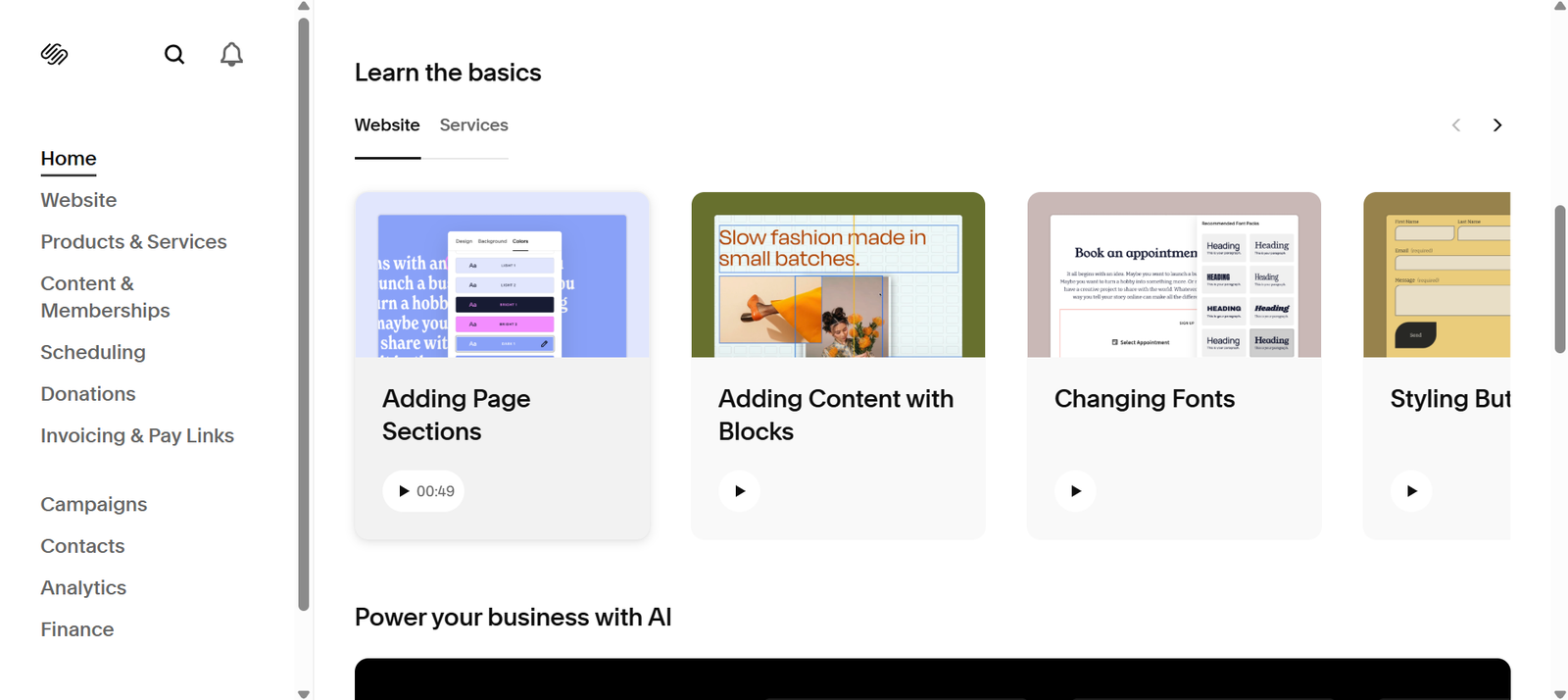
Squarespace offers email and live chat support and has no phone support. We used the dashboard tutorials during setup.

Dashboard tutorials · Support channels

Pricing & Plans

US list prices checked 28 November 2026. The monthly amounts shown are for annual billing. Totals exclude tax, payment processing and future domain renewal.

Basic

For a portfolio, business site, blog or small shop
$19
/ month
$228 billed yearly
INCLUDES
  • Two contributors, including the owner
  • Templates and Fluid Engine
  • Portfolio, blog and online store
  • 2% online store transaction fee
  • 7% paid digital-content fee
KEY DIFFERENCE
Start here for a small site if two contributors and the selling fees fit.

Core

For a team, a busier store or specific integrations
$29
/ month
$348 billed yearly
INCLUDES
  • Unlimited website contributors
  • Code injection and additional integrations
  • 0% online store transaction fee
  • 5% paid digital-content fee
  • Carrier-calculated shipping
KEY DIFFERENCE
Choose Core for three or more contributors, carrier-calculated shipping or to remove the Basic store fee.

Plus

For paid content with growing revenue
$49
/ month
$588 billed yearly
INCLUDES
  • 50 hours of video storage
  • 1% paid digital-content fee
  • Lower Squarespace Payments card rate
  • Unlimited contributors
  • 0% online store transaction fee
KEY DIFFERENCE
A lower fee on paid content can justify the price before you need more storage.

Billing & Extras

Separate subscriptions and renewal costs
ADVANCED
$99/mo · $1,188 billed yearly
ACUITY STARTER
$16/mo · $192 billed yearly
CAMPAIGN EMAIL
Separate subscription
CUSTOM DOMAIN
First year on eligible annual plans
WATCH FOR
Add Acuity only if you need self-booking. Basic plus Acuity Starter is $420 a year for one calendar at US annual rates. Acuity plans

Billing. Advanced removes the Squarespace fee on eligible paid digital content. Card processing is separate on all four plans. Website, Acuity and Email Campaigns can renew on their own schedules.

GUIDEDVAULT TAKE

Which plan makes sense?

At US annual rates, Basic costs $228, Core $348, Plus $588 and Advanced $1,188 before tax. Basic plus one Acuity Starter calendar costs $420 a year.
  • Basic covers the layout and publishing tools most solo website owners need.
  • The $120 annual jump from Basic to Core pays for itself at $6,000 in yearly store sales subject to Basic’s 2% fee. A third contributor or a Core-only feature can make the upgrade worthwhile sooner.
  • Compare Plus and Advanced if paid content or card fees dominate the bill.
  • Price Acuity only for self-booking. An ordinary contact form uses the website plan.
  • Confirm domain renewal, payment-provider availability and fees for your country.

Who Squarespace Is Best For

Start with what visitors need to do and how much control you want over the site.
STRONGEST FIT

Best For

  • Photographers, designers and portfolios with case studies
  • Small brands that want a website, blog and manageable store
  • Creators selling memberships or video alongside a public site
LOOK ELSEWHERE IF

Not Ideal For

  • You want to run a large catalog with complex fulfillment
  • Your publishing workflow depends on custom plugins
  • You need to move the finished site to your own host
OTHER OPTIONS

Top Alternatives

Wix

For point-and-place editing or bundled booking.

Why Wix?

Compare Wix if you want more freedom placing elements in its classic editor or an eligible website plan that includes booking.

Shopify

For a business that runs on its store.

Why Shopify?

Compare Shopify if you need to handle stock across locations, inventory transfers and fulfillment from the store admin. Shopify inventory and locations

WordPress

For control of hosting and publishing.

Why WordPress?

Choose self-hosted WordPress when plugins, editorial workflows or choosing your web host matter more than having one vendor run the site.

FREQUENTLY ASKED QUESTIONS

Billing, redesigns and what you can do during the trial
Can a Squarespace trial site go live?

The 14-day website trial is for building and reviewing a site. You can share it by password, and public launch requires a paid plan.

Can I sell products on Basic?

Yes. Basic supports an online store and charges a 2% Squarespace store fee, apart from card processing. Buy Core when the savings or a plan feature such as carrier-calculated shipping warrants it.

Can I redesign the site without starting over?

On version 7.1, you can redesign the pages and change the site styles on the existing site. The first design is a starting point.

What bills are separate from the website plan?

Acuity is a separate subscription for online appointment booking. Squarespace Email Campaigns also bills separately. The site itself includes a contact form.

FINAL VERDICT

GUIDEDVAULT VERDICT

A well-designed site you can run yourself

Choose Squarespace when your site needs a strong visual identity and you want to run the pages, blog and a small store from the same dashboard. Acuity and Email Campaigns add separate costs, and moving to another host means rebuilding the design. Choose Shopify if inventory and fulfillment drive the business, or self-hosted WordPress if you need to control your hosting and extend your publishing workflow.
Best for creatives and small teams that care about presentation and prefer a hosted site they can update themselves.
8.1 / 10
Strong
Check the plans you need for the site, selling fees and any add-ons.