
Screaming Frog SEO Spider Review 2026
Hands-on tested

Quick Snapshot
Pros, Cons & How We Tested
Pros
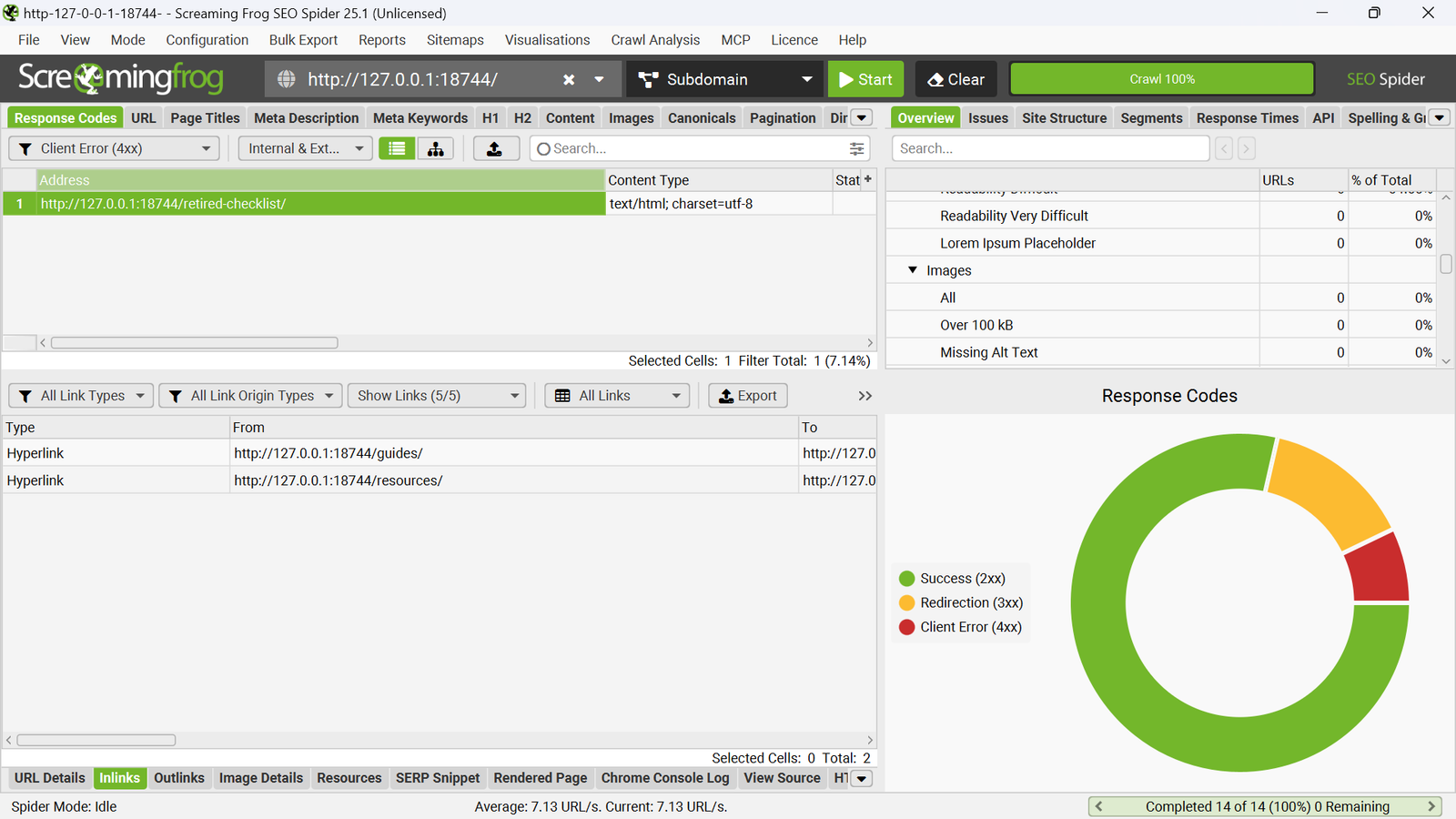
- Find the exact source and anchor text for a broken link.
- Export a redirect chain with its final status.
- Check indexing directives and generate an XML sitemap.
Cons
- Free stops at 500 URLs per crawl.
- The default crawl missed a link inserted by JavaScript.
- Comparing two crawls on Free took a manual export check.
How We Tested
- Windows, SEO Spider 25.1 Free, controlled fixture.
- Issue guidance, inlinks and redirect CSV.
- Sitemap, JavaScript link discovery and recrawl.
- Separate 520-article ceiling test.
Review Findings
From issue list to developer handoff
Indexability, sitemap and fix verification
Where the Free crawl leaves gaps
GuidedVault Scorecard
Issue guidance helps. Detailed checks take several tabs.
Surfaced the planted link, redirect and indexing signals.
CSVs preserved source pages, anchor text and redirect hops.
A fresh crawl verified the changes through a manual comparison.
Free covers a real audit. Paid addresses specific workload limits.
Features & integrations
Based on Screaming Frog’s product documentation.
HTML and JavaScript rendering
Default crawling can miss links inserted by scripts. The vendor lists JavaScript rendering with a licence.
Saved crawls and scheduling
The licence adds saved crawls, built-in comparison and scheduling. On Free we compared the two exports manually.
Extraction and integrations
The licensed edition lists custom extraction plus Search Console, Google Analytics and PageSpeed Insights connections.
Pricing & Plans
Free
- 500 URLs per crawl
- Broken links and inlinks
- Redirect chain export
- Titles and indexing directives
- XML sitemap generation
Paid Licence
- Crawl beyond 500 URLs
- JavaScript rendering
- Saved crawls and comparisons
- Scheduled audits
- Custom extraction and integrations
Billing & Extras
Billing and renewal. Licences are priced per user per year. Check the vendor checkout for currency, taxes and renewal options. Licence FAQ
Which plan makes sense?
- Choose Free for an occasional small-site crawl.
- Pay if the relevant scope exceeds 500 URLs.
- Choose rendering if key links are inserted by JavaScript.
- Use saved comparisons when you audit the same site repeatedly.
- Check the vendor’s current per-user quote before buying.
Who Screaming Frog Is Best For
Best For
- Site owners who need a precise fix list
- Freelancers checking redirects and changes after release
- Technical SEOs who work from crawl exports
Not Ideal For
- Your main job is keyword discovery or rank tracking
- You require a full crawl beyond 500 URLs at zero cost
- You need recurring crawl diffs without manual comparisons
Top Alternatives

Semrush
Pair site auditing with keyword research and rank tracking.
Why Semrush?
Consider Semrush when the same team needs a cloud SEO suite for audits, keyword research and monitored rankings.
FREQUENTLY ASKED QUESTIONS
Is Screaming Frog Free enough for a technical audit?
Yes. We checked broken links, redirects, indexability and sitemap output on Free. Make sure your relevant URLs fit within the cap and that the links appear in the HTML.
Does 100% complete mean the entire site was crawled?
In our capped test it meant 500 of 500 URLs. Twenty-one known linked articles were missing from the export.
Can I verify fixes without a licence?
Yes. Run a fresh crawl and compare the relevant rows with your baseline export. A licence adds saved crawl comparison.
When should I pay for JavaScript rendering?
Consider it if important navigation or content appears only after scripts run. The default crawl missed a stock link that worked in Chrome.